9/01/2017

How to Scan Documents in iOS 11 using Notes App on iPhone/iPad ?

Here' s a quick guide on how you can Scan documents in iOS 11 using Notes app on iPhone/iPad.

Scanning document was pretty difficult in iOS earlier. You had to use third party documents scanning app which would cost a couple of bucks but now Apple has integrated a free feature that allow users to scan any document using notes app in iOS 11.

Apple has really done something great on its latest iOS 11. We can now imagine the future of iOS from this update because it has brought many new changes to its UI as well as added many features into it.

Here' s a quick guide on how you can Scan documents in iOS 11 using Notes app on iPhone/iPad. Step 1: Go to Notes app of iOS 11
Scan Documents in iOS 11 Using Notes app
We have been writing articles about iOS 11 tips and tricks since its release. Some are known and some are hidden. Check out these hidden tips and tricks of iOS 11 below:

List of Compatible devices that supports iOS 11
How to enable Dark Mode on iOS 11
Howto download iOS 11 without Developer Account
How to Enable Low Power Mode from Control Center on iOS 11
How to Record iPhone Screen on iOS 11 using Control Center

Besides all these, Apple has added a new document scanning feature on Notes app in iOS 11. With document scanner, you will be able to scan all your documents using iOS 11 Notes app and save it to the camera roll. You don't need now those big machines or any other third party apps for scanning the document. Notes app in iOS 11 will do the things for you and make your life easier.Also Read:15 Exhentai proxy sites

The best things about this document scanner in Notes app in iOS 11 is it can capture document from any angle and give the best scanned file for you. Let's check,

How to Scan Documents using Notes app in iOS 11

Step 1: Go to Notes app of iOS 11

Step 2: Tap the (+) sign located just above the keyboard

Here' s a quick guide on how you can Scan documents in iOS 11 using Notes app on iPhone/iPad. Step 1: Go to Notes app of iOS 11
Scan Documents in iOS 11 Using Notes app
Step 3: Tap on Scan Document

Here' s a quick guide on how you can Scan documents in iOS 11 using Notes app on iPhone/iPad. Step 1: Go to Notes app of iOS 11
Scan Documents in iOS 11 Using Notes app
Step 4: Now place the camera on the document you want to scan. The best part is you even don’t need to tap the camera shutter. It automatically adjust the angle and takes the best scan copy of the document for you.Must Read:iMyFone D-Back iPhone Data Recovery–Recover Deleted Data from Your iPhone/iTunes/iCloud Easily!


If you lost data after you updated to a new iPhone, you can always use Gihosoft iPhone Data Recovery to get the data back from the old iPhone or backup.You may also like: iphonerecovery.comIf you use android phones, please choose Gihosoft Android Data Recovery.


A very cool feature added by Apple. Forget about third party document scanner app and start using Notes app on iOS 11 to scan your document.

8/31/2017

Want to see the latest iPhone 8?

Today we come with new information from the upcoming launch of Apple, as a Bloomberg report has offered a bit more detail on the iPhone 8 software interface , saying that the device will adopt the new base interface used by the iPad in iOS 11 There are even new renderings and a video.
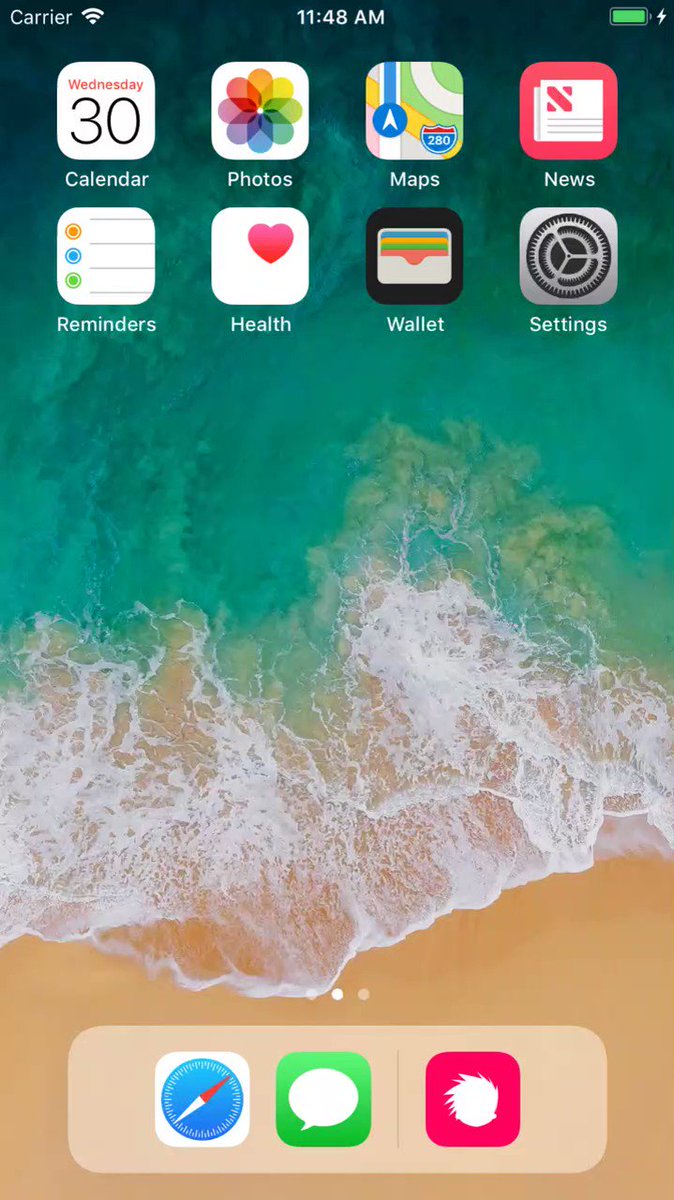
The report shows how the iPhone 8 would adopt a redesigned multitasking and brand-new gestures to accommodate its absence of home button and bevelled design. A new video from developer Guilherme Rambo shows what the dock would look like and how gestures could be used for multitasking as well as the new interface. The dock presented here shows the same recently opened section on the right side as the iPad, as the static applications located on the left.


If you lost data after you updated to a new iPhone, you can always use Gihosoft iPhone Data Recovery to get the data back from the old iPhone or backup.You may also like: iphonerecovery.comIf you use android phones, please choose Gihosoft Android Data Recovery.
On the other hand, a render of Olivier Charavel shows the new dock as well as the new thin tab at the bottom of the interface. This tab will allow users to quickly access the multitasking interface. The cutout of the notch along the top is also new, although the recently used dock section is not. It is unclear whether Apple plans to bring that to the iPhone or not , as it would take a considerable amount of space.
Finally, the new processors of the designer Maksim Petriv also show how the applications will be seen in the iPhone 8 . With the notch cut along the top, applications will adjust to that and the status bar would have been updated. The report explained that the time will be located in the "left ear" of the notch, while the right side will be the location of the signal bars.
As Benjamin explained today, Apple is apparently focusing everything on the iPhone towards the gestures , as it drops the Home physical button. Gestures have long been an integral part of iOS, but the iPhone 8 will increase that dependency.Sponsor ads:
Jihosoft  iPhone Data Recovery
Free iPhone Data Recovery Software for Windows/Mac
Recover up to 12+ types of files, including contacts, SMS, photos, WhatsApp, Viber, notes, etc.
Restore lost data from iOS devices directly or from iTunes and iCloud backup
Recover iPhone data lost due to iOS upgrade/jailbreak, accidental deletion, device lost or broken
Support all the latest iPhone, iPad and iPod Touch.
Tips:
Gihosoft iPhone Data Recovery Free


Apple is expected to unveil the new iPhone 8 next month in its keynote . In addition to the changes in the interface, the iPhone 8 will bring OLED screen, a new design glass and more . Along with the iPhone 8, Apple will announce a new Apple TV 4K HDR, as well as a new Apple Watch LTE.
Check out the video below. How Apple could handle navigation on the iPhone 8? Let us know in the comments, we wait for you.https://linzichao.blogspot.com
Source : 9to5mac.com

8/30/2017

Apple might integrate iPad-like Dock and Gestures in iPhone 8 as well

A new report from Bloomberg claims that the upcoming OLED iPhone 8 might have a dock similar to iPad that we have seen earlier with the launch of iOS 11.

As we are already familiar with a rumor “iPhone 8 will not have a Touch ID”, Apple has planned to implement similar dock like iPad into iPhone 8 as well in place of home button, report says. Must Read:iMyFone D-Back iPhone Data Recovery–Recover Deleted Data from Your iPhone/iTunes/iCloud Easily!


Photo Credit: Concept iPhone
Along with that, iPhone 8 is also said to feature with the new gestures sign which will be used to unlock an iPhone, toggle app switcher, and more. Gestures are already launched in iOS 11 on iPad. We might see the similar gestures and dock in iPhone 8 this year.

iPhone 8 is rumored to feature minimal bezels on top, sides, and bottom. Another interesting thing about the iPhone 8 is it is going to feature a cutout on the top center part of the OLED display for earpiece, sensors and camera.

Apple shall unveil iPhone 8 on September 12 Keynote event along with iPhone 7s, and iPhone 7s Plus.

Stick with us for more news and rumors about iPhone 8.Sponsor ads:
Gihosoft Free iPhone Data Recovery:iphonerecovery.com
Free iPhone Data Recovery Software for Windows/Mac
Recover up to 12+ types of files, including contacts, SMS, photos, WhatsApp, Viber, notes, etc.
Restore lost data from iOS devices directly or from iTunes and iCloud backup
Recover iPhone data lost due to iOS upgrade/jailbreak, accidental deletion, device lost or broken
Support all the latest iPhone, iPad and iPod Touch
Both Free and Pro version.
If you lost data after you updated to a new iPhone, you can always use Gihosoft iPhone Data Recovery to get the data back from the old iPhone or backup.
Worth reading:download youtube 1080p

Google launches ARCore to compete with Apple’s ARKit

Just like Apple has ARKit, Google now has ARCore. Google recently launched a new developer platform to create Augmented Reality apps to compete against Apple’s ARKit.

Few months back, Apple unveiled ARKit at WWDC event. With ARKit apps, you can interact with virtual things within your iOS devices. And now Google has also planned to enter AR world to compete with Apple’s ARKit. Google already had a same kind of project few years back called Tango but it required some advanced hardware built into the smartphone. But now it is focusing more on ARCore which can work with the use of a software alone.Must Read:If you lost data after you updated to a new iPhone, you can always use Gihosoft iPhone Data Recovery to get the data back from the old iPhone or backup.
Gihosoft Free iPhone Data Recovery:iphonerecovery.com
If you use android phones, please choose Gihosoft Android Data Recovery


Google’s ARCore functions just like Apple’s ARKit which works with the help of Java/OpenGL, Unity and Unreal delivering three major features: motion tracking, environmental understating and light estimation.

Developers can try out the new ARCore starting from today on Pixel and Samsung Galaxy S8 devices running Android 7.0 or avove.

Let’s see what these two competitors has to offer.

Featured Post

iOS 12 group Facetime, Supports upto 32 people simultaneously

Apple introduces a group facetime in iOS 12 that supports video call up to 32 people at the same time along with the LIVE Memoji. It’s ...