8/29/2017

How to install iOS 11 Beta 8 without a Developer Account on iPhone ?

Apple pushes iOS 11 beta 8 for registered developers today and is available for download just after the weekly release of beta 7 release of iOS 11 . 

The iOS 11 beta 8 comes with with some bug fixes and improvements. Beside that Apple has added many new features in iOS 11 like redesign Control center, redesigned multitasking on iPad, drag and drop feature, changes in Music app, redesign Maps and Appstore icons, new animation when connected AirPods, some Live wallpapers being removed and moreGihosoft Free iPhone Data Recovery:iphonerecovery.com
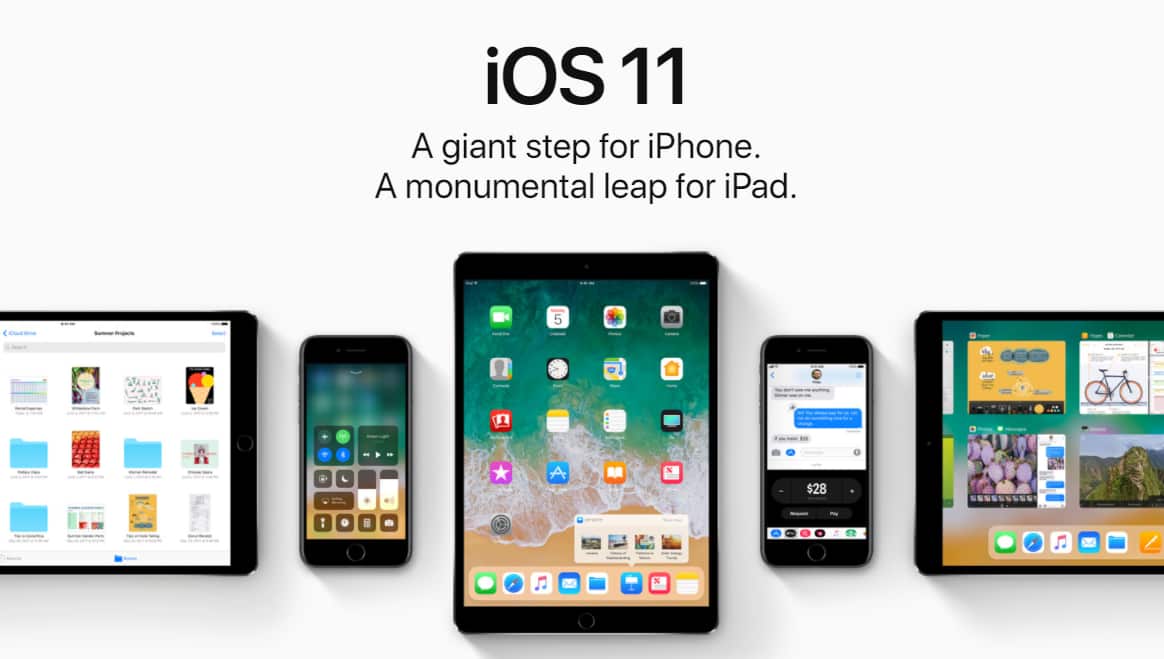
Apple pushes iOS 11 beta 8 for registered developers today and here's how to install iOS 11 beta 8 without developer account.
The iOS 11 developer beta 8 is currently available for download registered developer only. The registered developer can install this beta from the developer account or can directly update via OTA mechanism if they have already installed previous beta from Settings >> General >> Software Update.

Tips:
Recover Photos, Videos, Contacts, Messages, Notes, Call History & Calendar from iPhone. Recover Lost or Deleted Data from Your iPhone in Just a Few Clicks. Free Download Now. Download Free Trial Now. Do-It-Yourself Software. 3 Million+ Happy Customer.

Also Read:h33t proxy

iOS 11 Features and Changes


If you're not a developer then you can join the Apple Developer Program, which includes a signup fee of $100.

But what if you want to install iOS 11 beta 8 without Developer Account? Can I download iOS 11 beta 8 on iPhone without a registered developer?


Of Course Yes! You can easily download iOS 11 beta 8 profile and install on your iPhone, iPad and iPod Touch without Developer Account or Computer. 


Simply follow this below steps how you can update to iOS 11 beta 8 right from your iPhone or iPad. For this, you don't need developer account or any computer and its super easy.

How To Download iOS 11 beta 8 profile without a Developer Account on your iPhone/iPad

Step 1: Launch Safari on your iPhone/iPad, and enter this URL or this link.

Step 2: It will then redirect to profile management page. Tap to install the developer profile on your device.

Step 3: After the profile is installed, you will be asked to restart your device. Tap on Restart.

Installing iOS 11 beta 8
Step 4: Now Go to Settings >> General >> Software Update. Tap Download and Install iOS 11 beta 8 on your iPhone/iPad without Developer account. Enter your passcode. Agree the terms & Condition.

Seat back and relax for sometimes until it completes downloading and installing iOS 11 beta 8 on your iDevices.

That's it. You have now iOS 11 beta 8 installed on your iPhone/iPad without developer account or any computer. 

If you already installed iOS 11 beta 4 or beta 5 or beta 6 or 7 previously, then you can update to iOS 11 beta 8 via OTA directly from Settings >> General >> Software Update.

Sponsor ads:
Gihosoft Free iPhone Data Recovery:iphonerecovery.com
Free iPhone Data Recovery Software for Windows/Mac
Recover up to 12+ types of files, including contacts, SMS, photos, WhatsApp, Viber, notes, etc.
Restore lost data from iOS devices directly or from iTunes and iCloud backup
Recover iPhone data lost due to iOS upgrade/jailbreak, accidental deletion, device lost or broken
Support all the latest iPhone, iPad and iPod Touch
Both Free and Pro version.
If you lost data after you updated to a new iPhone, you can always use Gihosoft iPhone Data Recovery to get the data back from the old iPhone or backup.
Worth reading:download youtube 1080p
Jihosoft Android Data Recovery: the best Android Data Recovery software for Windows and Mac to recover deleted contacts, messages, photos, videos, WhatsApp and etc from Android
If you use android phones, please choose Gihosoft Android Data Recovery

Download iOS 11.0 Beta 8 for Free

Today Apple has released beta 8 of iOS 11 to developers. This new version brings lots of new features, such as a redesigned control centre, smarter Siri, lots of productivity improvements for the iPad, and much more. Anyone can download and install it right now by either downloading the IPSW file, or the OTA profile below.

iPhone Download Links: 
iPad Download Links: 
iPod touch Download Links:
Over The Air Profile:
For instructions on how to install iOS 11 beta on your iPhone, iPod touch or iPad without having a paid developer account or UDID activation click here.Must Read:iMyFone D-Back iPhone Data Recovery–Recover Deleted Data from Your iPhone/iTunes/iCloud Easily!
If you lost data after you updated to a new iPhone, you can always use Gihosoft iPhone Data Recovery to get the data back from the old iPhone or backup.You may also like: iphonerecovery.com
If you use android phones, please choose Gihosoft Android Data Recovery.

Check out the iOS 11 section of the website for more information about iOS 11.

7/30/2017

iOS 11: the main innovations that arrive on your iPhone or iPad

The Opening Keynote of the WWDC 2017 was at least dense, among the many innovations was iOS 11. We talk here about most important ones.Read:http://seotechyworld.com/recover-deleted-data-from-iphone-contacts-photos-text-messages-whatsapp-history/ iMyFone D-Back iPhone Data Recovery Get Back Lost Files on iPhone 

Augmented reality

Apple wanted to focus on ARKit, a development platform for augmented reality applications. It’s only at the project stage for the moment, but we know that IKEA is working on an application exploiting the technology. It is fairly easy to imagine that this will be linked to virtual furnishings. This is the example Apple took during its conference. By putting a lamp and a cup on a table. Pokémon GO will also enjoy it.

Siri tells you the future.

  • The interface of Siri has been reviewed, closer to the “Google Card” of Moutain View.
  • The assistant’s voice has been enhanced to be more natural.
  • He will suggest questions to ask in relation to the previous one.
  • There will be more results for the same topic to reduce errors.
  • Siri can now translate live. From English to German, Italian, Spanish, Chinese and French (and probably in the opposite direction, but it’s not clear). To begin.
  • There will be suggestions based on what you are doing right now: mark an appointment in the calendar, reply to a message with your position for example.
  • He will be able to learn words from articles you have read. This especially convenient for proper names.
  • All this is private, only between you and your device, nothing on the web.
  • Siri will open up to third-party developers. We think of Uber.
  • In summary: Siri catches up on Google Assistant.

Lighter photos

  • The Camera application has been reviewed on features and technology.
  • The photos have a right to a new format.
  • The software part has also been reviewed, notably to better manage low light with optical stabilization.
  • It will be possible to create loops from Live Photo (as on Instagram and other social applications). They can also be edited.
  • There will be a new “long exposure” mode to create artistic blurring in particular.
  • The videos of the “Memories” function can be viewed horizontally and vertically.

All-in-one control center

  • More than just one sign for the control center instead of three.
  • The interface is reviewed to access more functions.
  • 3D Touch will provide access to sub-options.

Unified Lock and Notification Screen

  • The lock screen will display all notifications (if desired).
  • You can also scroll through the locked screen.
  • From a slide to the right on the left, one keeps a quick access to the widgets or the camera.

iMessage synchronized, finally

  • iMessage will be entitled to its new batch: the main one is the synchronization via iCloud, which means that your messages read on your iPhone will also be on your Mac and vice versa. Finish the notification torrent when you go home and turn on your Mac.
  • There will now be an application drawer to find his stickers more easily.

Apple Pay: Refund your friends

  • This is a feature related to both iMessage and Apple Pay: it will be possible to transfer money to friends directly via an iMessage. The thing we can already do with several third-party applications, but this will facilitate transactions.
  • Payment may be authenticated by fingerprint.
  • This will be compatible with all iOS devices and Apple Watch.

Apple Maps, inside

  • Apple Maps wins plans for various shopping malls and airports. For the moment, nothing is announced in France, it will be for later.
  • By car, Maps will indicate the allowed speeds.
  • The application will also specify the ideal positioning in the lane on routes that have more than one.

Car Play and iOS 11

  • By installing iOS 11, you will have an option to not be disturbed while driving.
  • This will disable notifications purely and simply. You have to look at the road.
  • The passenger may, however, override.
  • There will be an automatic reply to the messages, to signal that you are driving.
  • In the case of emergency, we can answer “urgent” and the message will pass all the same.

Apple Music and AirPlay 2

  • AirPlay 2 comes in and supports multiroom systems.
  • This will also work with third-party applications.
  • One can make public playlists and share them. As on Spotify.

The App Store revised from top to bottom

  • Major update for the App Store that will be completely redesigned.
  • Games, apps will have a dedicated tab, a third will be dedicated to the applications selected today. One way to better highlight some apps.
  • In-app purchases will have a dedicated place to promote them and tell the user more clearly what they understand. 
If you lost data after you updated to a new iPhone, you can always use Gihosoft iPhone Data Recovery to get the data back from the old iPhone or backup.You may also like: iphonerecovery.com

If you use android phones, please choose Gihosoft Android Data Recovery.

iOS 11 on iPad: a portable computer

All these new features will happen on the iPad, but the tablet gains other exclusive features, which will bring it closer to a more formal computer.
  • Main addition: the arrival of a file manager. We will be able to navigate its tablet as it does in Mac OS, or almost.
  • We can do “drag and drop”.
  • Multitasking is through with a mission control display, and the ability to overlay two apps. Yes, it is the arrival of a window on iPad.
  • It also gains a “real” dock, where you can drag many applications.
  • The Apple Pencil is even better supported, we can almost annotate everything.
  • The Notes application recognizes handwriting … so it can be used as a keyword for a Spotlight search.

Featured Post

iOS 12 group Facetime, Supports upto 32 people simultaneously

Apple introduces a group facetime in iOS 12 that supports video call up to 32 people at the same time along with the LIVE Memoji. It’s ...